Bring the product together
Add the details, materials, suppliers and identifiers you already have.
What it’s made of. Where it comes from.
Madeivo keeps product details, materials, suppliers and supporting evidence together, shows what still needs attention, and turns the information you choose into a clear QR-linked Digital Product Passport.
Add the details, materials, suppliers and identifiers you already have.
See what needs attention and keep declarations, specifications and supplier documents with the information they support.
Preview what customers will see, publish it behind one QR link and release a new version when information changes.
Why prepare now?
There is no single deadline for every product. But the Registry is live, certain batteries are first in February 2027, and product-specific rules for other priority groups are moving through the timetable.
See the DPP timeline →20 JUL 2026
The Commission's Registry is now operating. Detailed Passport data is not stored in one central EU database.
18 FEB 2027
Battery passports are required for EV batteries, light means of transport (LMT) batteries and industrial batteries over 2 kWh placed on the market or put into service.
Q4 2027
The Commission currently plans adoption of the textile ESPR delegated act in Q4 2027; implementation follows the final product-specific rules.
Digital Product Passport basics
The QR gets people to it. The useful part is the product record behind it: information you can check, support with evidence, publish deliberately and update when something changes.
The facts you manage about what you make or sell
The documents behind important product information
Only the information you choose to publish
New published versions when information changes
Real Madeivo workspace
Product preparation, missing information, evidence and recent Passport releases stay visible from one clear workspace.
The product checker turns missing information and warnings into clear next steps. The dashboard then shows catalogue progress without turning readiness into a legal compliance score.
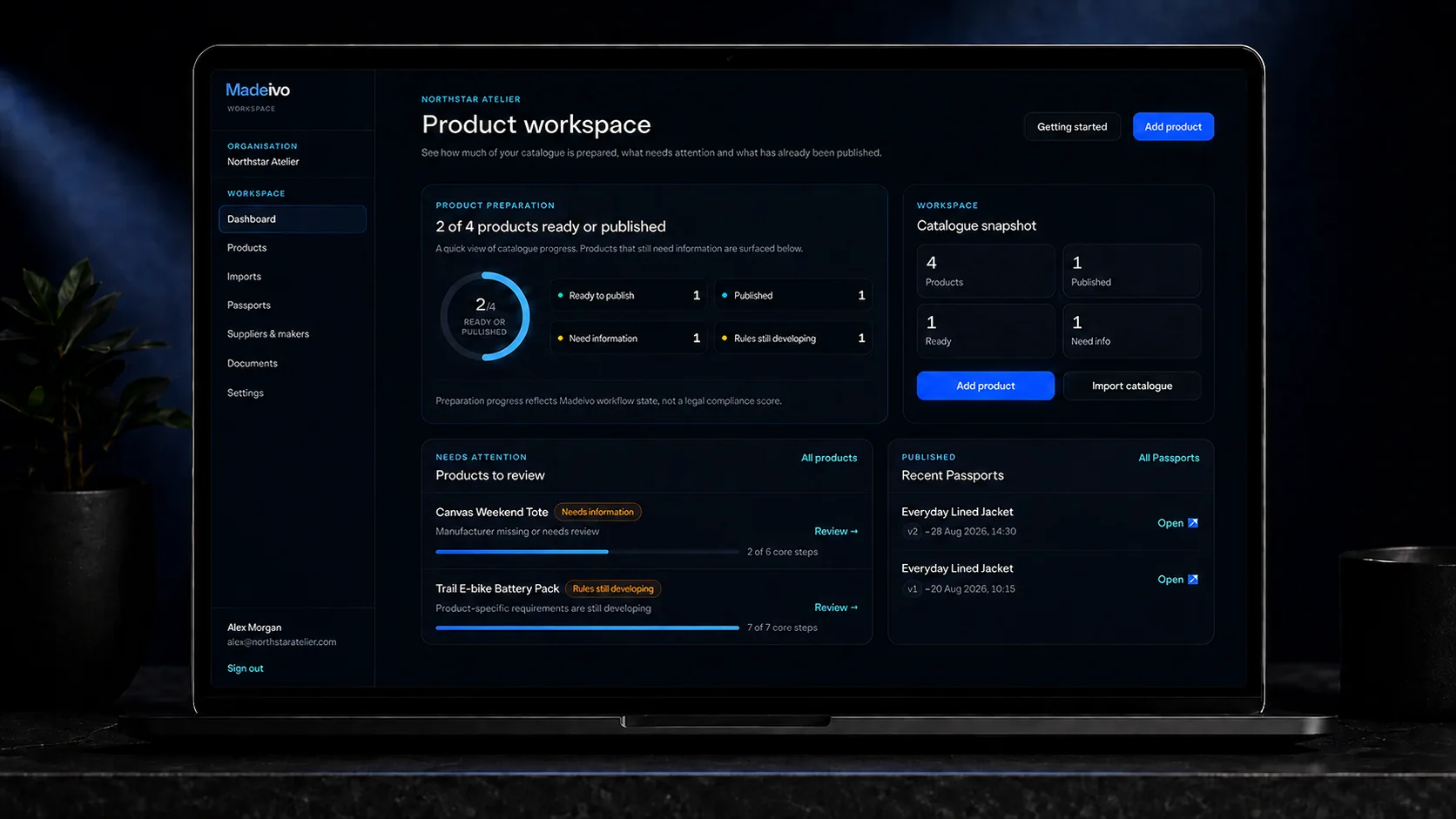
Product checker
See missing information, warnings and the next useful action without having to interpret the underlying regulatory structure yourself.
Catalogue
Ready, published and incomplete products stay distinguishable as the catalogue grows.
Regulatory updates
Relevant guidance updates appear in the workspace without being presented as automatic legal advice.
Passport history
Recent Passport versions remain part of the product workflow instead of becoming separate files to manage.
Supporting documents
Supplier declarations, care instructions, test reports and certificates stay with the facts they support. They can remain private in the workspace while the public Passport contains only the information you deliberately publish.
Explore the platform →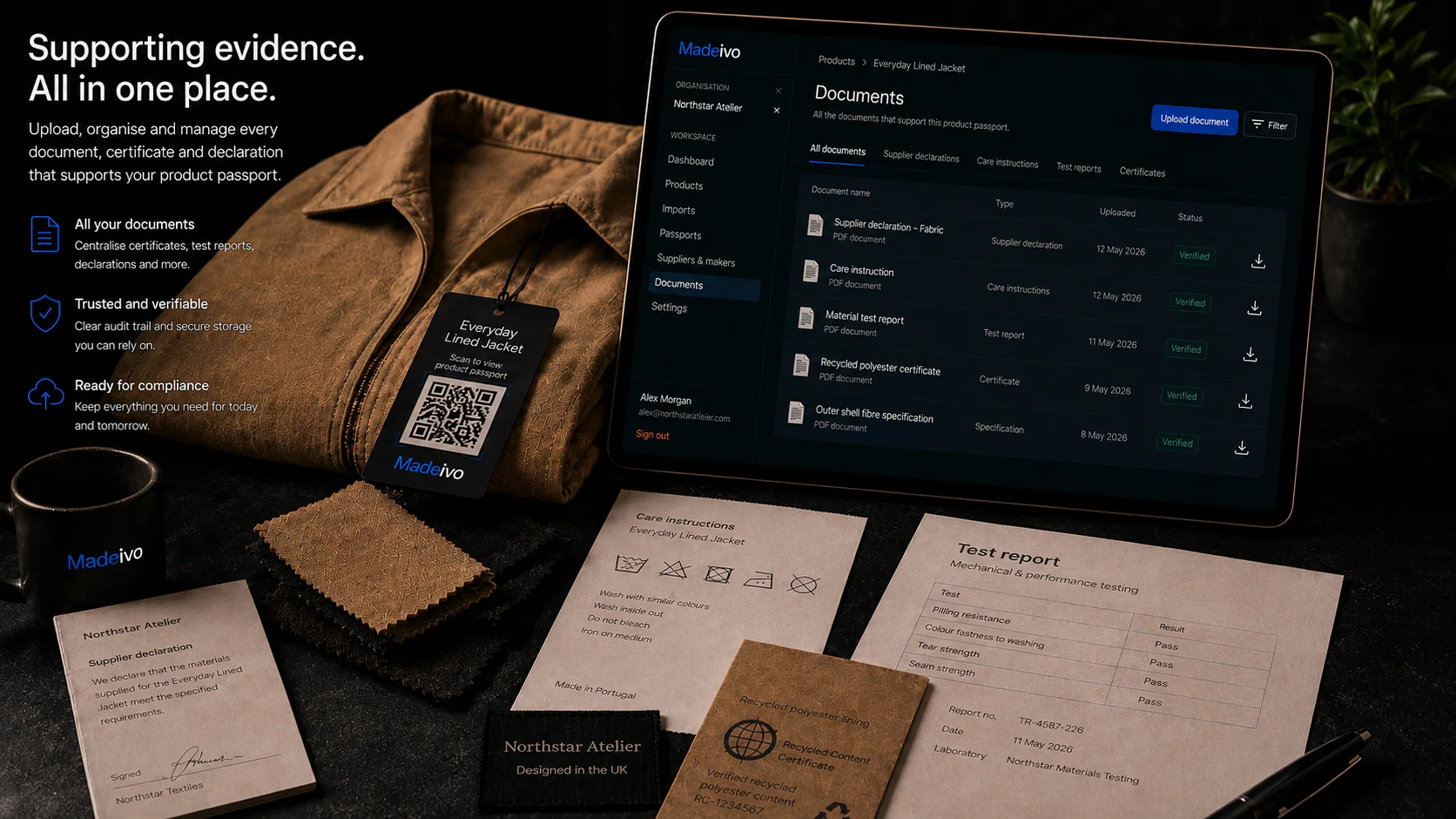
Less manual catalogue work
Madeivo supports the operational work around the Passport as well as the Passport itself, without turning every product screen into a wall of options.
Reuse product setup
Start related products from an existing record or a product family, then review the copied values before anything is published.
Supplier requests
Send a secure request to a linked supplier. They can reply without a Madeivo account, and you approve or reject each response before using it.
Evidence lifecycle
Analyse supported documents, review extracted suggestions, track expiry or review dates and receive reminders before supporting evidence becomes stale.
After you publish
Publish new versions when information changes, add customer languages, understand Passport activity and connect the catalogue when you need more automation.
Multilingual publishing, Passport analytics, regulatory updates and publication history stay attached to the same product. Pro and Business add Shopify and WooCommerce catalogue sync, custom Passport branding, the API and signed webhooks.
Multilingual Passports
Add customer-facing Passport versions in the EU's 24 official languages without duplicating the product. Manual translation is available on Free; paid plans add automatic translation allowances.
Passport analytics
Track aggregate public Passport views and Madeivo-generated QR scans, with useful device and referral breakdowns. Counts are activity, not claims about unique people.
Shopify, WooCommerce + API
Pro and Business include one-way Shopify and WooCommerce catalogue sync, permission-limited API access and signed webhooks. Connected stores can update catalogue data but never publish a Passport automatically.
GS1 Digital Link & PDF
Published products with a GTIN can use GS1 Digital Link with machine-readable data, and published Passport versions can be downloaded as PDF.
The workflow
Bring the information together, check the gaps, link supporting evidence, publish deliberately and update the Passport when something changes.
Start with the name, SKU and details you already know.
Tell us what the product is made from.
Keep useful supplier declarations and certificates with it.
See what is missing or needs another look.
Create the customer-facing product Passport.
Keep the same public link when information changes later.
Built for different products
Madeivo starts with a common product record and adds sector-specific preparation as requirements and workflows differ.
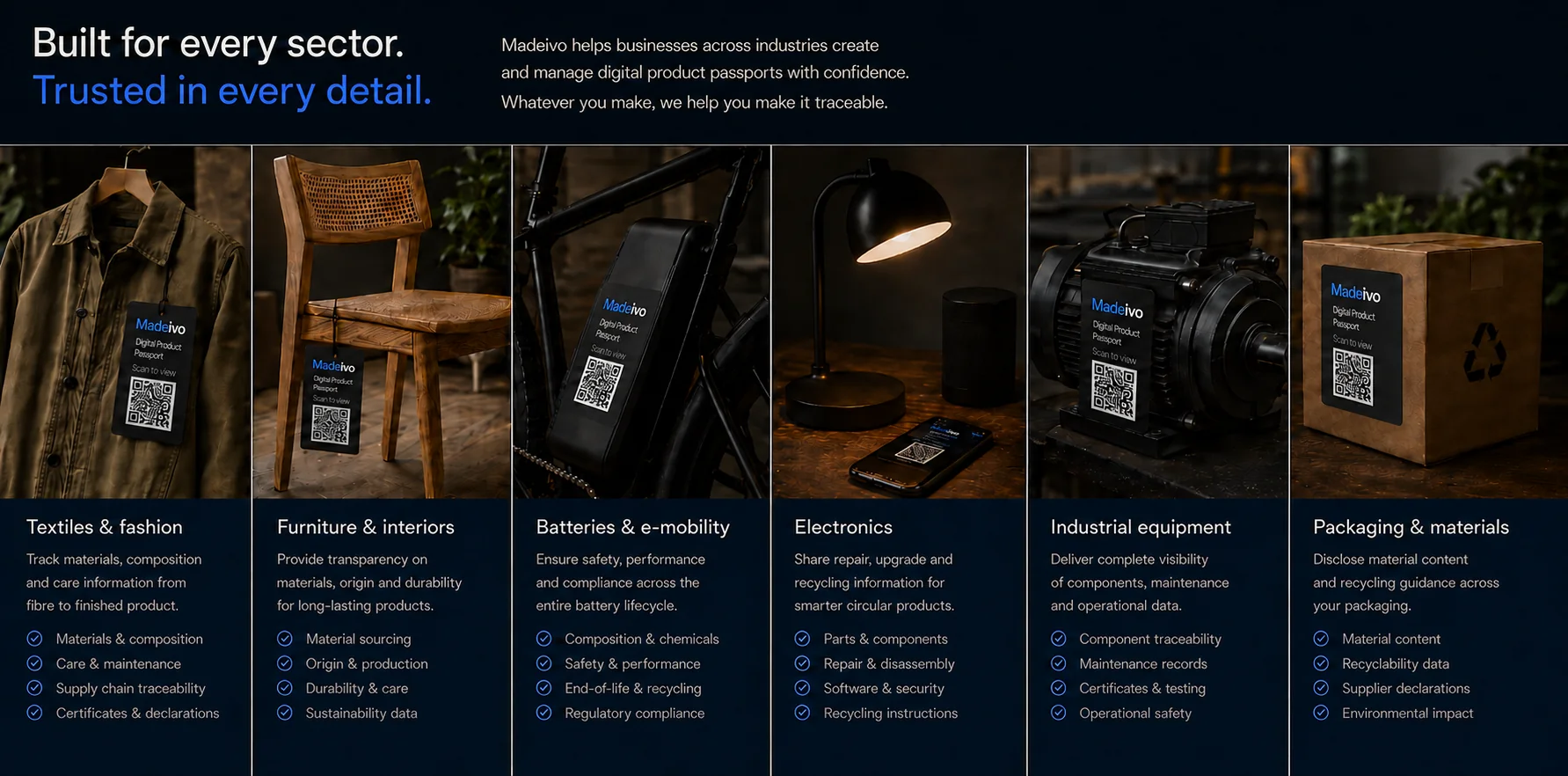
Composition, origin and care
Materials, repair and origin
Technical and lifecycle information
Components, repair and recycling
Parts, manuals and service records
Material and recycling information
Pricing
Try Madeivo on real products before moving a larger catalogue across.
Compare plans →Free
£0/mo
A free tier for small catalogues.
Manual multilingual Passports + analytics
10 products
Starter
Recommended£12/mo
For small makers and exporters with a growing catalogue.
500,000 automatic translation chars / month
100 products
Pro
£29/mo
For larger catalogues and teams that need more capacity.
1.5m translation + Shopify/WooCommerce + API
1,000 products
Business
£59/mo
For high-volume catalogues with greater capacity requirements.
3m translation + Shopify/WooCommerce + API
10,000 products
A Digital Product Passport is a digital record linked to a product and accessed through a data carrier, such as a QR code. Depending on the applicable product rules, the data carrier may appear on the product, its packaging or accompanying documentation. Product-specific legislation determines when a DPP is required and what it must contain.
If you place products on the EU market, you may need a DPP when legislation applicable to your specific product requires one and its compliance date has arrived. Being in a priority product category does not by itself create a DPP obligation. Scope can depend on the product, your role and any applicable exclusions or exemptions. Madeivo helps you prepare the information before those requirements apply.
The sales channel does not create a general exemption. If the product is within the scope of an applicable EU DPP requirement, selling through Etsy, Shopify, Amazon, another marketplace or your own website does not remove that product requirement.
There isn't one deadline for every product. The EU is introducing DPP requirements in stages, with different dates for different product types. Certain batteries are first, with battery passports required from 18 February 2027. Other product groups will follow on their own timelines.
Try it on something real
You will quickly see what information you already have, what is missing and which supporting evidence is worth asking a supplier for.
Help us improve Madeivo
We count public page views without an analytics cookie. If you allow analytics, we also use first-party visitor and session identifiers to understand journeys, traffic sources and conversions. No advertising profiles or browser fingerprinting.
Read the cookie details